Online subscription
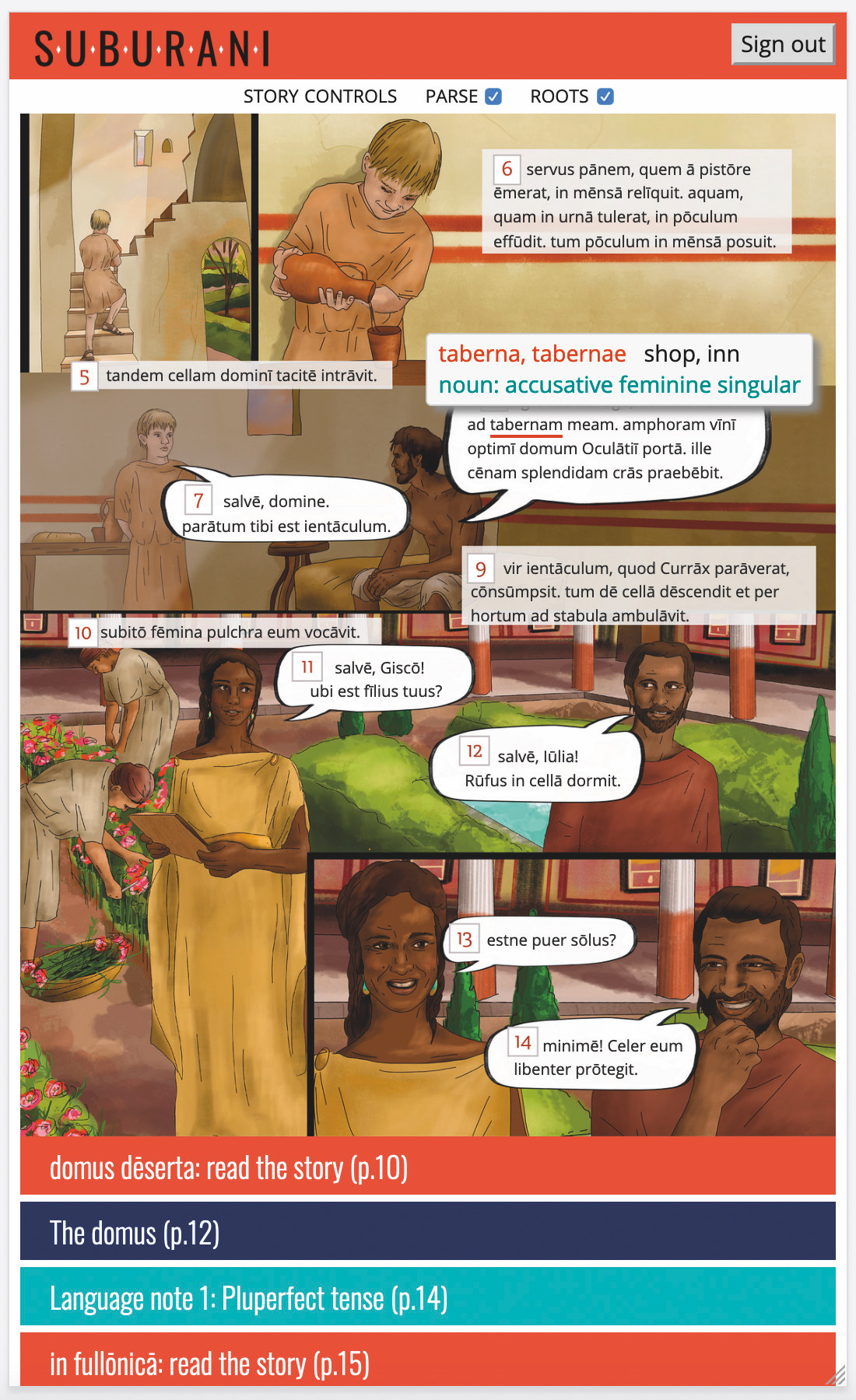
The online edition of Suburani includes all the content of the print edition, plus additional digitally-enhanced materials and teacher tools. Its responsive design adapts to the size of the user’s screen, enabling students to study from home or school using smartphones, iPads and tablets, desktops and laptops.
The online edition (Activebook) includes:
- the entire content of each textbook
- immediate parsing and dictionary look-up, which can be disabled by teacher
- derivations of Latin words
- responsive design, resizing to fit user’s screen
Each chapter is supported by additional resources:
- age-appropriate weblinks for follow-up research of the culture, history, and mythology topics
- image galleries enabling in-depth study of the material sources shown in the book
- hundreds of interactive resources and activities
- high-resolution maps with added interactivity
- easy access to reference materials including vocabulary for learning
- searchable digital dictionary
- audio recordings of Latin stories available online
Interactive activities and student progress tracking
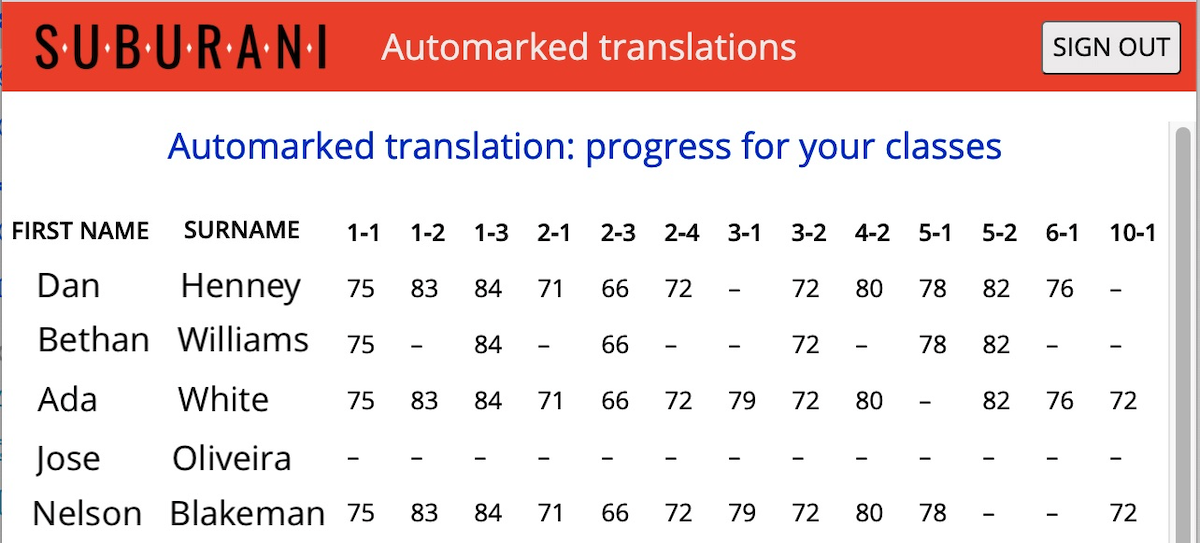
Automated marking of translation exercises
Our software is able to automatically mark translations and provide immediate feedback to students, correcting errors in grammar and vocabulary. This allows students to improve sentence by sentence as they complete the activity. In this way, errors are quickly addressed and students learn from the corrections before misunderstandings are embedded.
Individualized vocabulary trainer
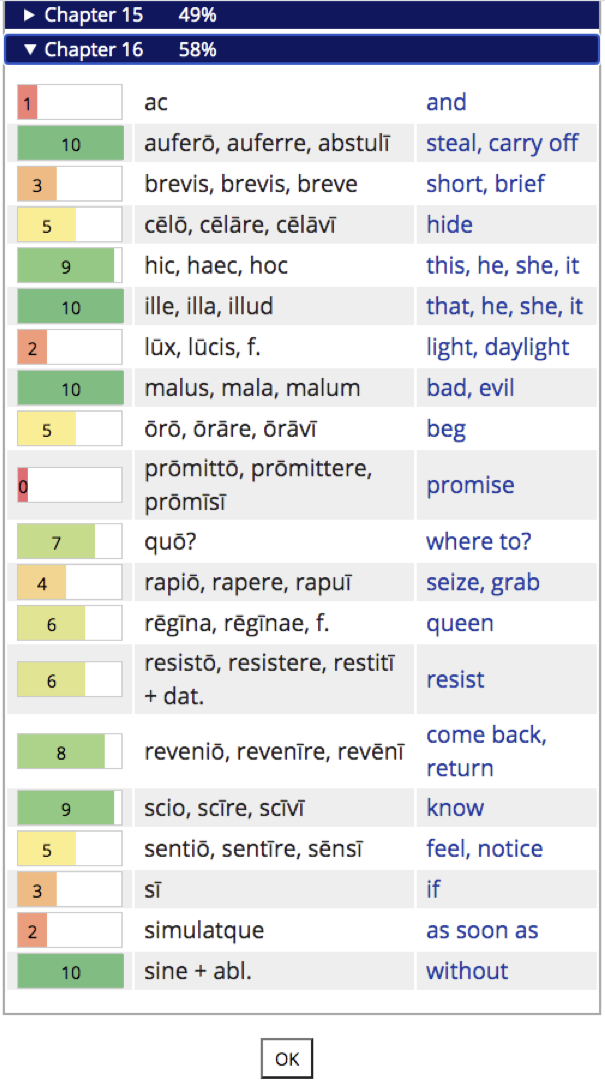
The Suburani vocabulary trainer provides each student (and their teacher) with both an overview and a detailed analysis of their vocabulary acquisition. Using spaced repetition, the software focuses on the vocabulary which the student needs to practise more, shows when they last logged in, how long they have spent on the trainer, their overall score to date, and precise word-level progress.
Other interactive activities
Each chapter has additional interactive activities including grammar categorization exercises and a verb trainer.
Student progress tracking
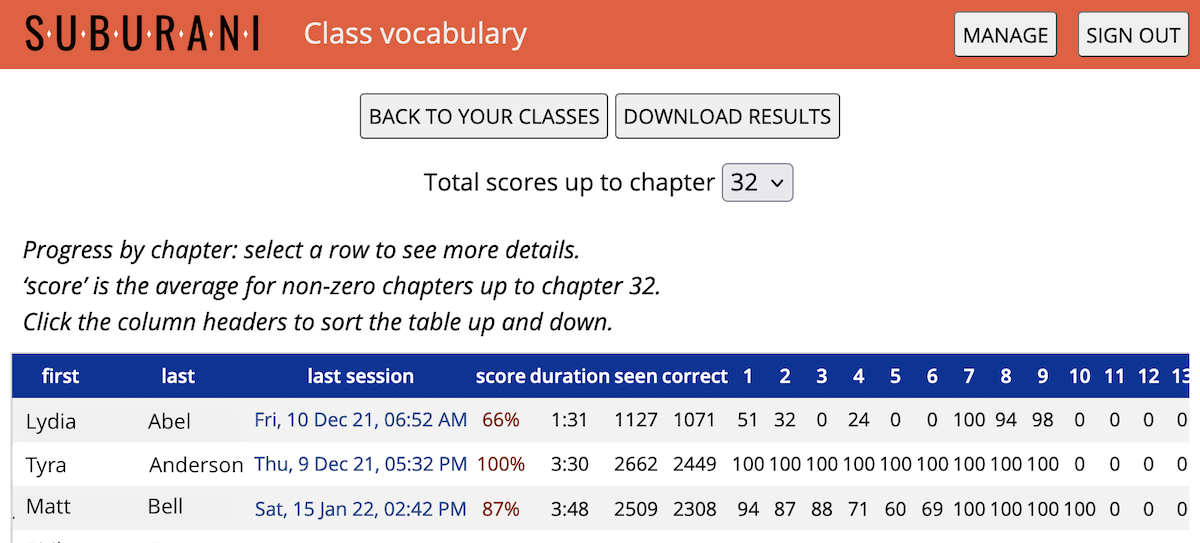
Marked activities are visible to teachers, allowing you to set homework and review the students’ marked responses before preparing the next lesson. This approach enables teachers to focus on preparation rather than marking, and plan lessons based on students’ performance.
The software also creates an automated online mark-book for the teacher, which can be downloaded as a spreadsheet.
If you have any questions, you can schedule a chat with one of the team.
Schedule a chat